Client Hub
Your company's entire IT operation, in one portal
Client Hub brings together the monitoring, help desk, infrastructure and cybersecurity that Solution One Pro runs for your company. AI agents handle every alert and every request; your team sees it all in real time.
When something breaks at 3 a.m., who finds out?
Alerts nobody owns
Your monitoring tool fires, but nobody knows who's on call and the email gets lost among hundreds.
Support everywhere
Requests over WhatsApp, email and phone, with no ticket, no follow-up and no history.
No visibility
You can't tell whether the SLA is being met, what got fixed this month or what you're paying for.
How an alert gets handled
From the first alert to a verified fix, without anyone staring at a screen.
- 01
Detected
Your monitoring tool, such as PRTG, records the failure.
- 02
Orion understands
It validates the alert, links it to related ones and filters out the noise.
- 03
On-call alerted
It calls the on-call specialist and notifies your team by WhatsApp and email.
- 04
Fixed with a ticket
The specialist fixes the issue; the ticket keeps the full history.
- 05
Verified close
Orion confirms the failure is gone and reports that it's resolved.
Four AI agents, one portal
Subscribe to the services you need; the rest stay in view, ready to turn on whenever you want.
NOC and monitoring
Orion AI
Validates every alert, finds the on-call specialist, reaches them by call, WhatsApp and email, and closes only once the failure is gone.
Help desk
NadIA + MARK-VII
Your users ask for help on the channel they already use. With their consent, MARK-VII diagnoses the computer remotely and fixes what's pre-approved.
Infrastructure support
Nexus AI + ADON
Understands the incident, checks your servers' capacity and applies only approved fixes. Everything else goes to engineering with the diagnosis ready.
Cybersecurity
Natasha AI
Your network's posture, risks and findings from a local node, without your sensitive data leaving your infrastructure.
A look inside
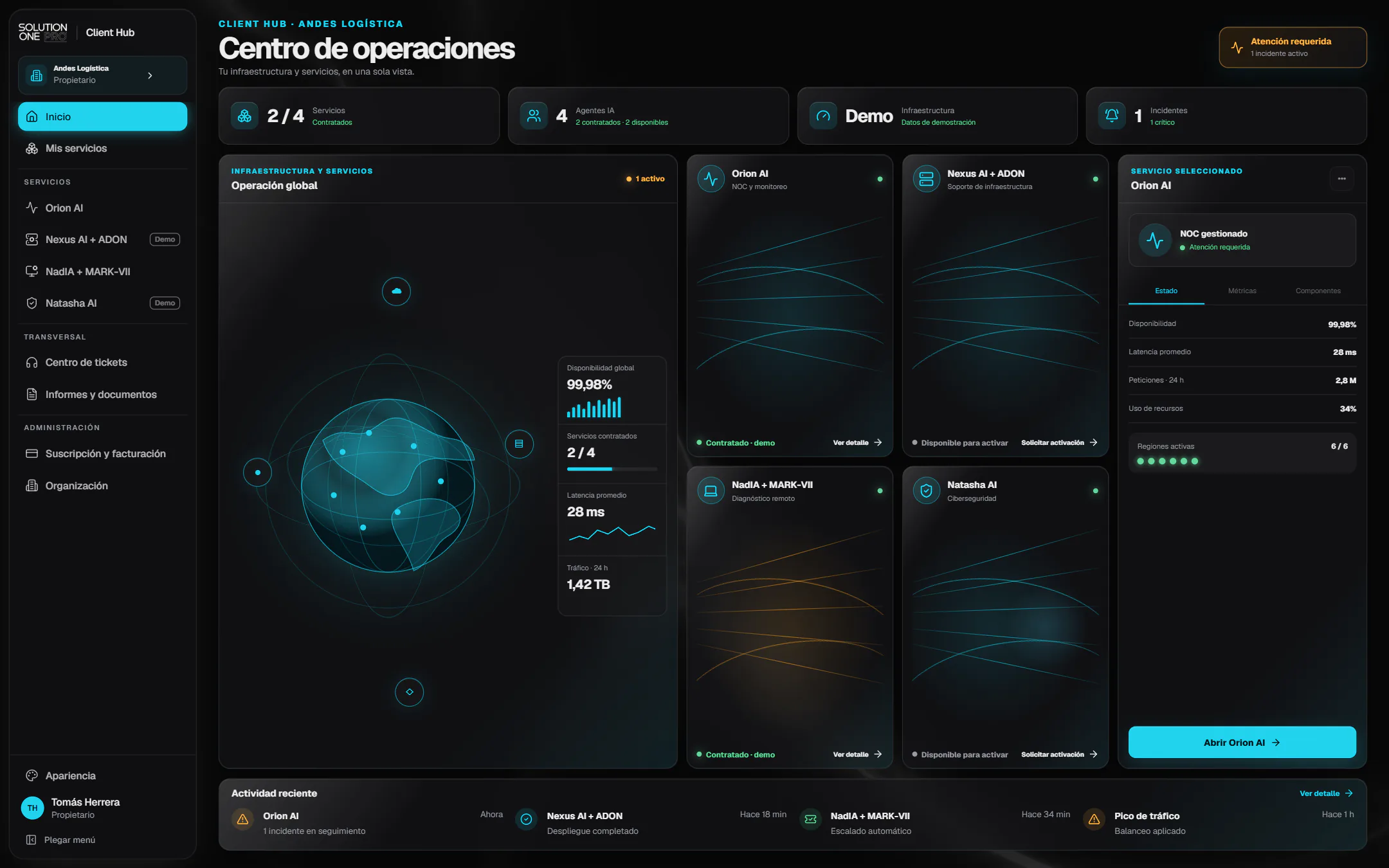
Each service has its own view, and everything is connected.
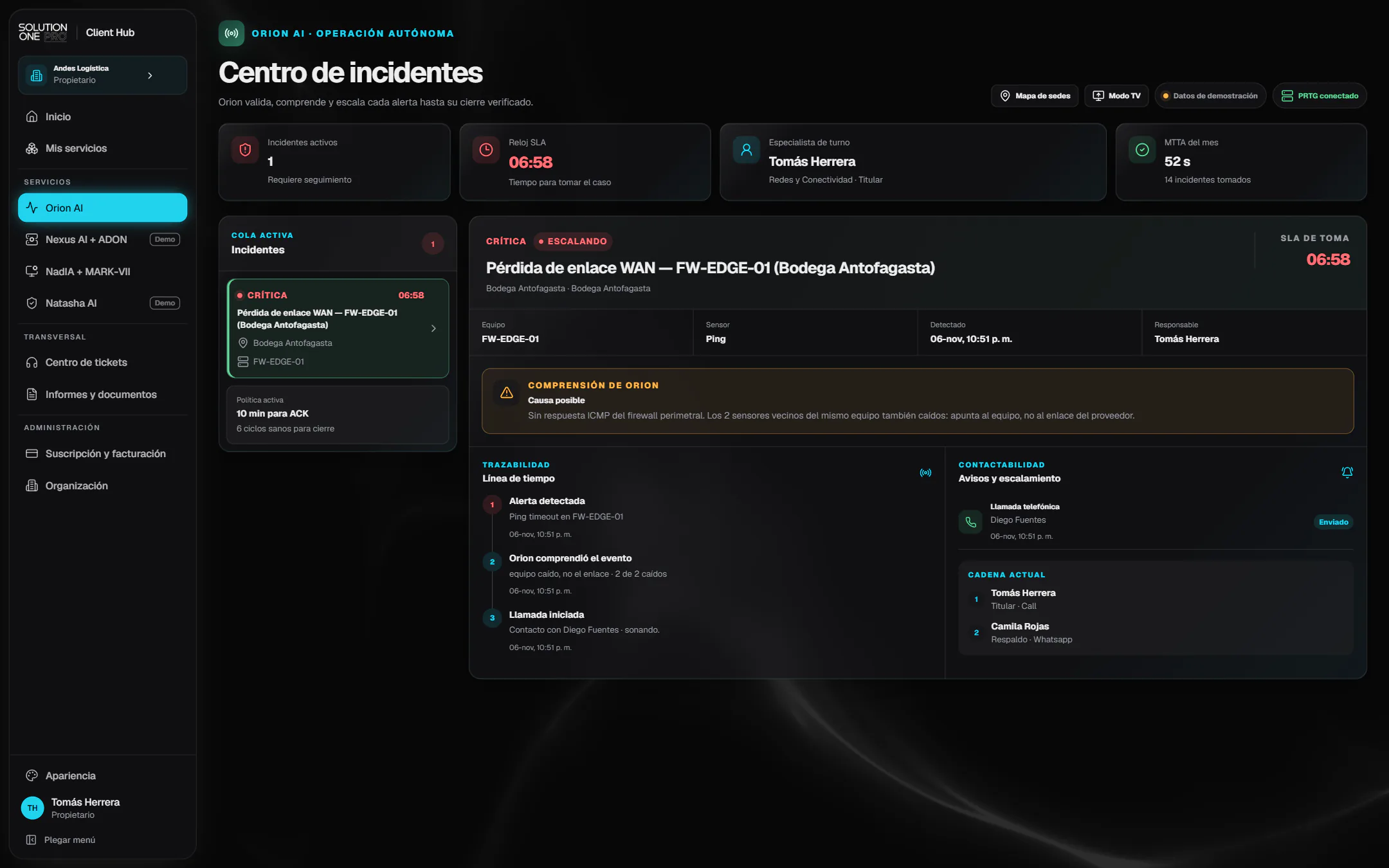
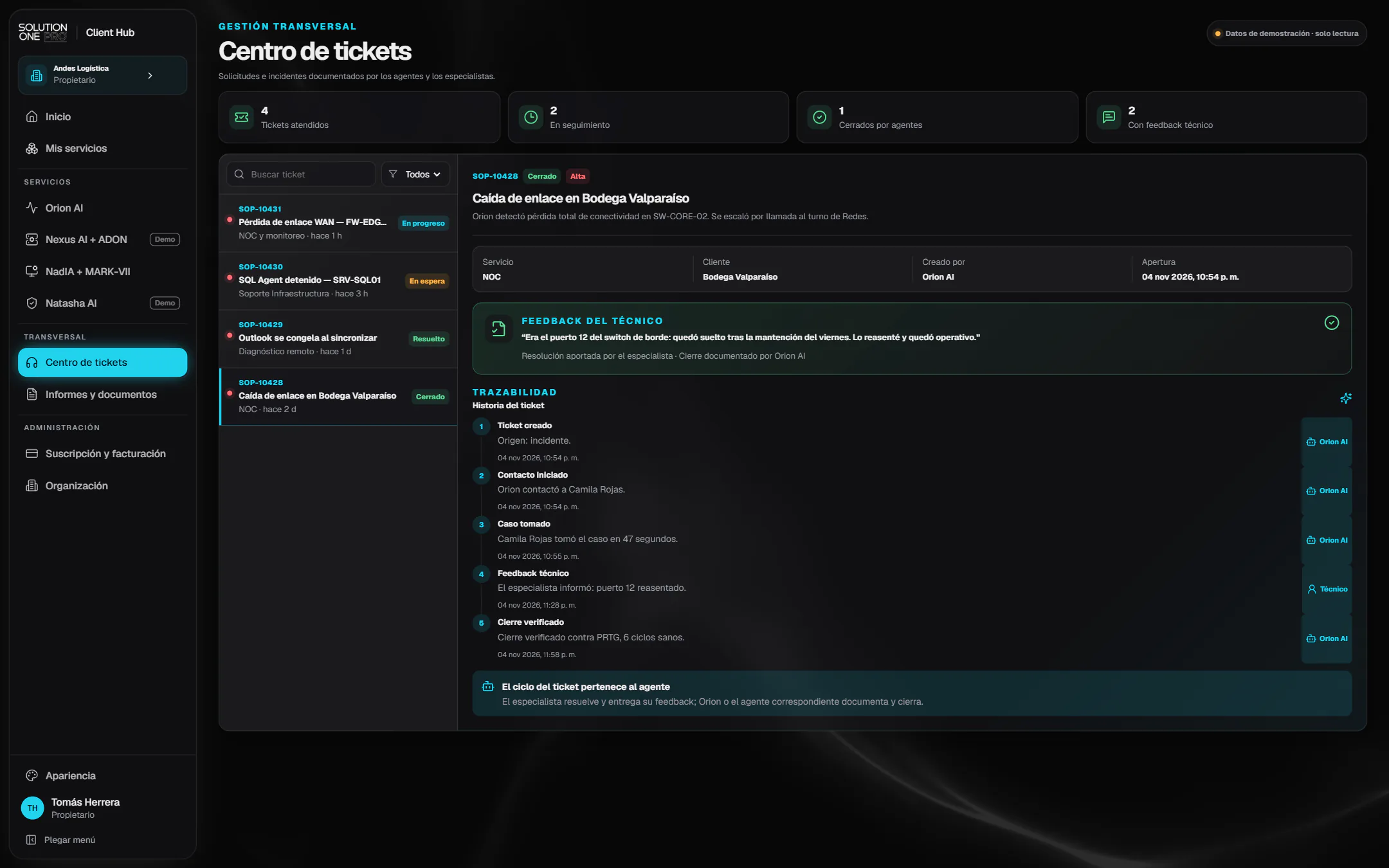
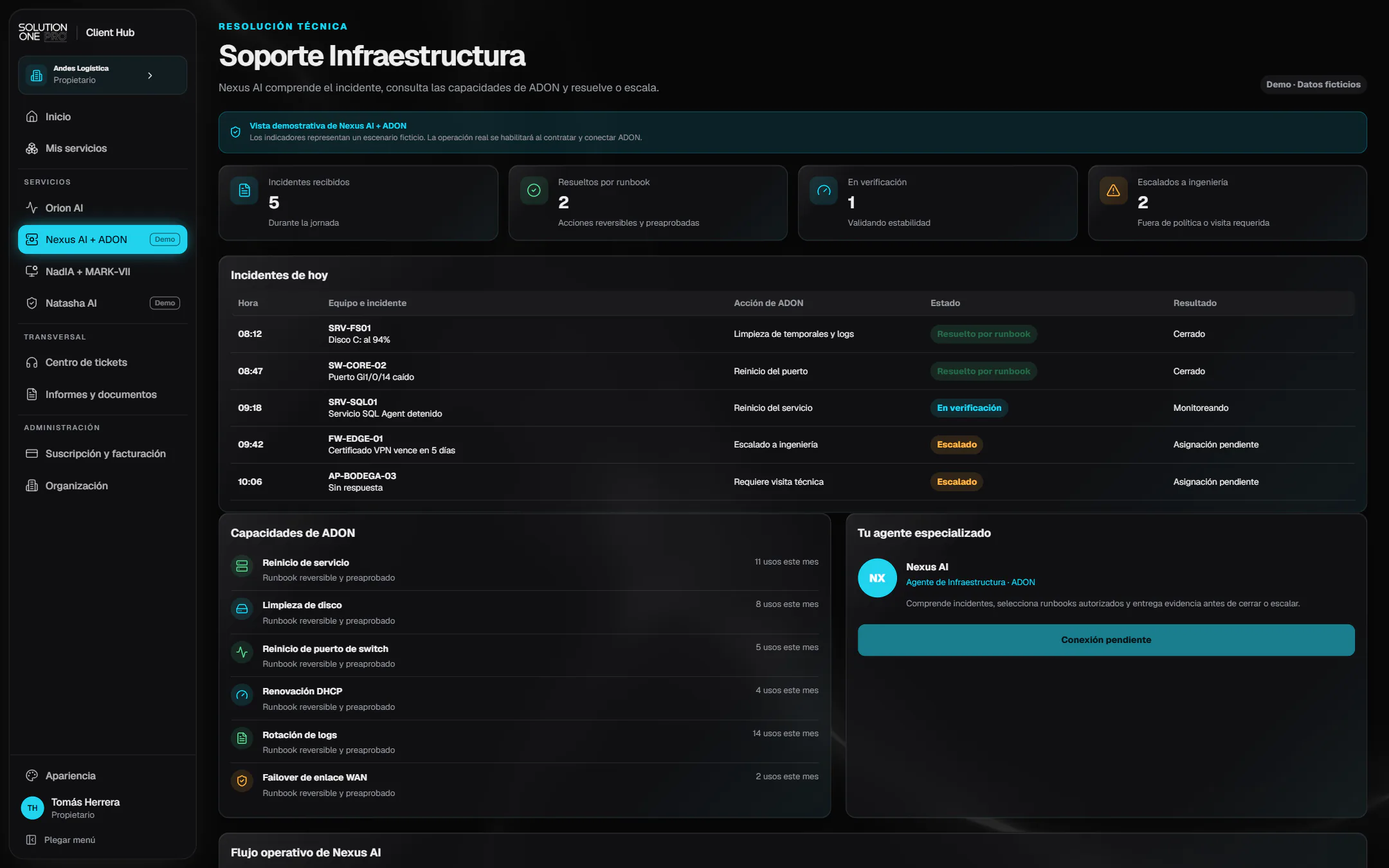
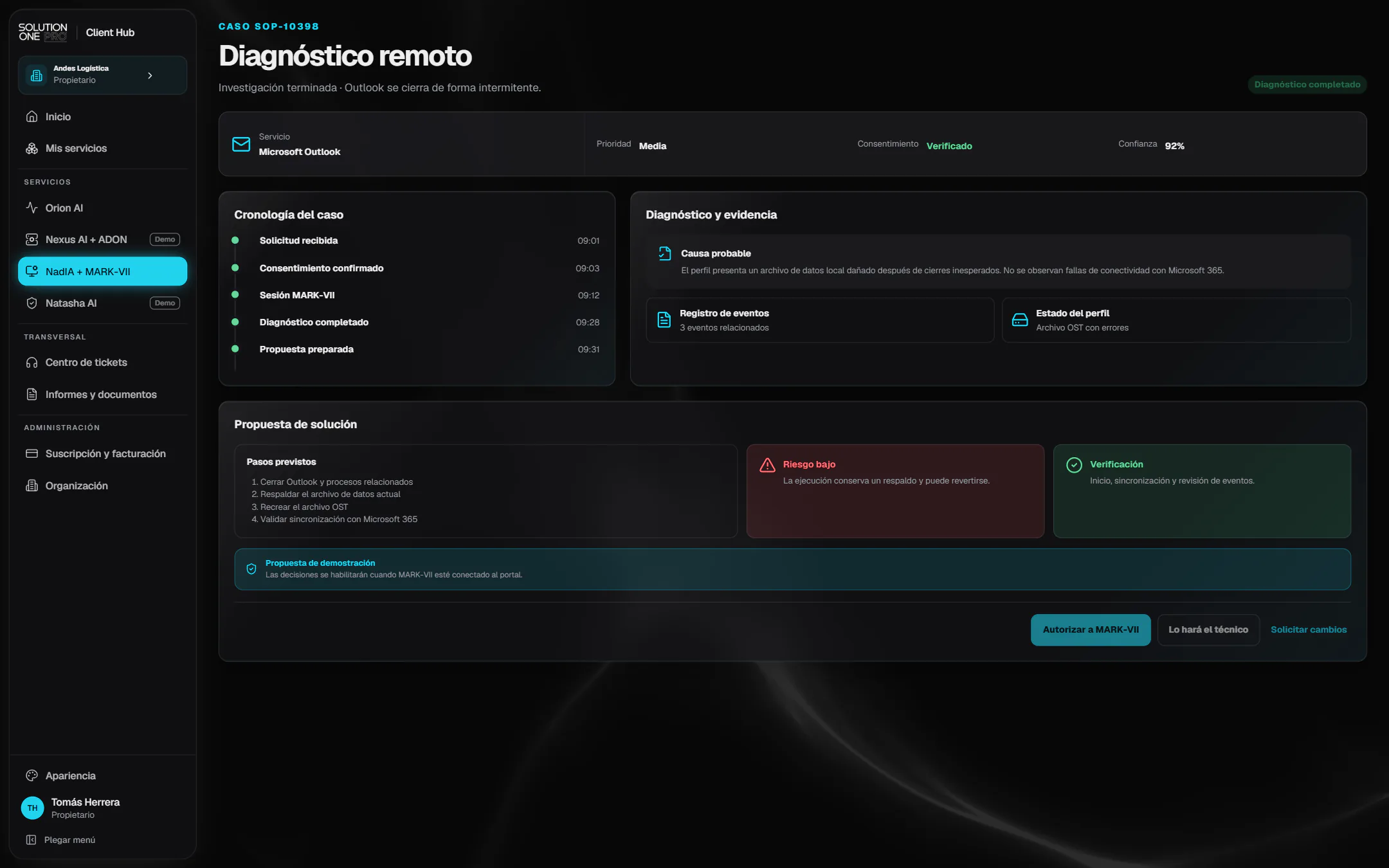
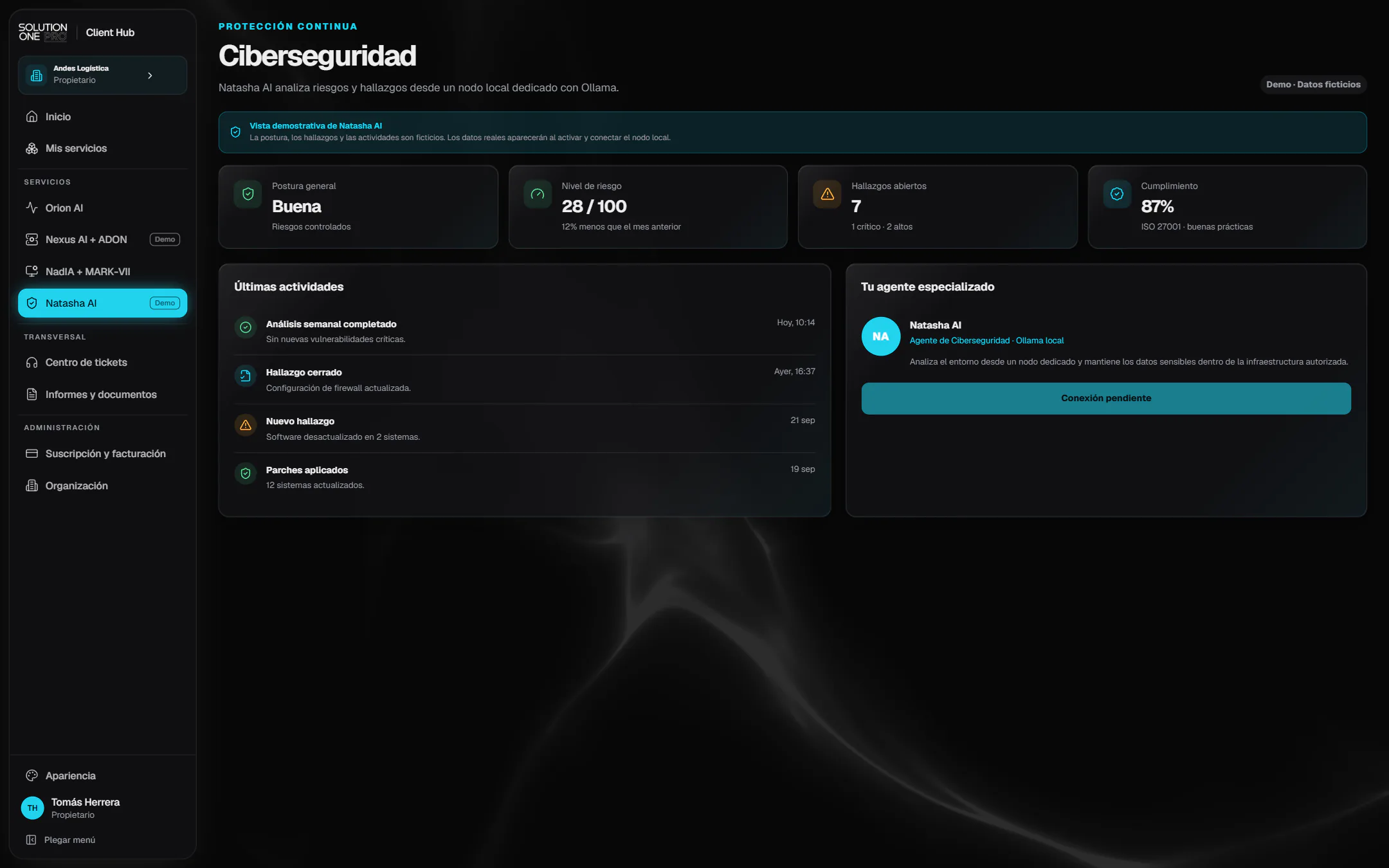
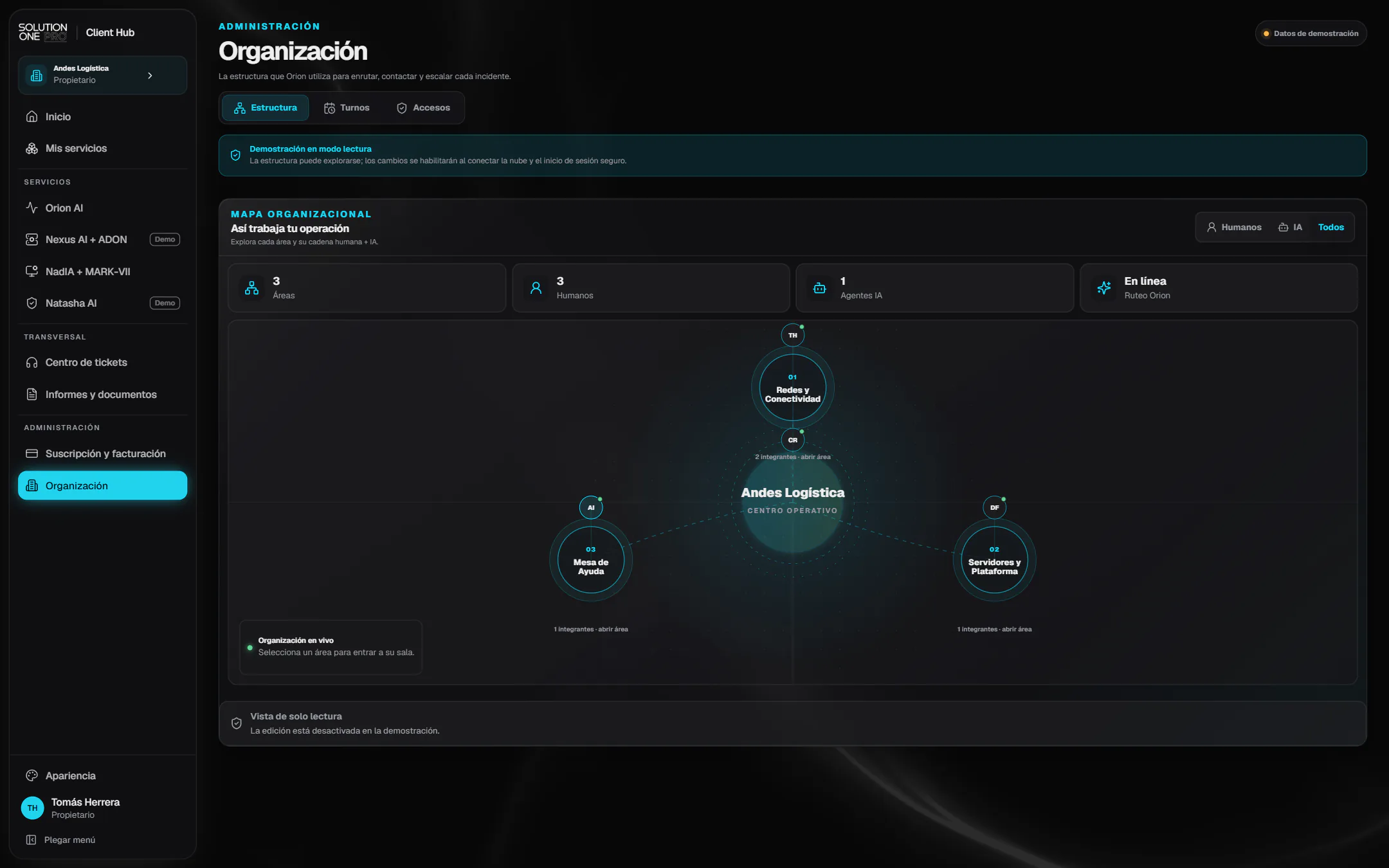
Portal screenshots with demo data.
What your team sees
Everyone signs in with their work account and sees only what applies to them.
Executive home
Services, incidents, uptime and SLA in a single view.
Ticket center
Requests and incidents from every service, with their full history.
Reports and documents
Monthly reports, incident reviews, minutes and procedures, always at hand.
Subscription and billing
Your active services, usage and invoices.
Organization and access
Sign-in with Google or Microsoft, one role per person and a log of every change.
NadIA
Ask about a case or request something new, without digging through menus.
Works with what your company already uses
No need to switch tools: Client Hub connects to what you already run.
- PRTG and your current monitoring
- Microsoft 365
- Google Workspace
- TeamViewer
- Your ticketing system
Pricing built around your operation
Client Hub has no fixed plans. The price depends on the services you turn on, the number of devices and sites, and your coverage hours. We put it together with you after the demo.
Request a quoteFrequently asked questions
- Is it available yet?
- We're opening the portal to our first companies with a guided demo. Some services, such as Nexus and Natasha, are still shown with demo data.
- Do I have to change my monitoring tool?
- No. Orion takes the alerts from the tool you already use, such as PRTG, and handles the rest.
- Does it replace my IT team?
- No. The agents handle the repetitive work (validating, notifying, documenting) and your team fixes issues with full context.
- Who sees what inside the portal?
- Everyone signs in with their Google or Microsoft account and has a role: owner, admin, operator or read-only. Every change is logged.
- Can I start with just one service?
- Yes. You can start with monitoring or the help desk alone and turn on the rest from the same portal when you need them.
Watch it handle an alert live
In the guided demo we show you how Orion takes an alert all the way to a verified close.
Request a guided demo